Is the Jenny Mod safe? How to spot fake files and check them
The mod's popularity makes its name useful bait. Before opening any file, check three things: the file type, its hash, and who published it. Here is how, with a real malicious example.
New to the mod? Start with our Jenny Mod overview. Looking for the file? Go to the Jenny Mod download section.
No author-run download page exists, so a label like "official" proves nothing. A hash and a scan do. This page shows you how to check any file yourself. Files we have checked are listed in the Jenny Mod download section.
A real fake file we inspected
On 29 October 2026 we examined a GitHub repository whose README advertised the Jenny Mod for Java 1.20.1, 1.21.1 and Bedrock, "all versions". Its download was a zip archive. We listed its contents without extracting or running anything:
| File | What it is | SHA-256 |
|---|---|---|
meconophagism.zip | The advertised "mod" (487,683 bytes) | af1ed309aed223eda74b649de2e28a9c427eeec6ec329bdfea348970b7e6b0a9 |
Application.bat | Batch file that runs cli.exe skey.txt | — |
cli.exe | Windows program (a script runner) | c434ce8620057d9dd9073b4af8382bf27e85729d152164909f1052775e7ddc70 |
skey.txt | Obfuscated Lua script | 73f3c4ae76c086f962a06d790be6cc104a47c9d1bfcaebd12eebb3455b090660 |
There was no .jar and no .mcpack, so nothing in it could be a Minecraft mod. A script
runner launched by a batch file with an obfuscated script is the pattern used by fake-GitHub-repository malware loaders. We
deliberately do not link the repository. If one of your files matches the hashes above, delete it.
Red flags
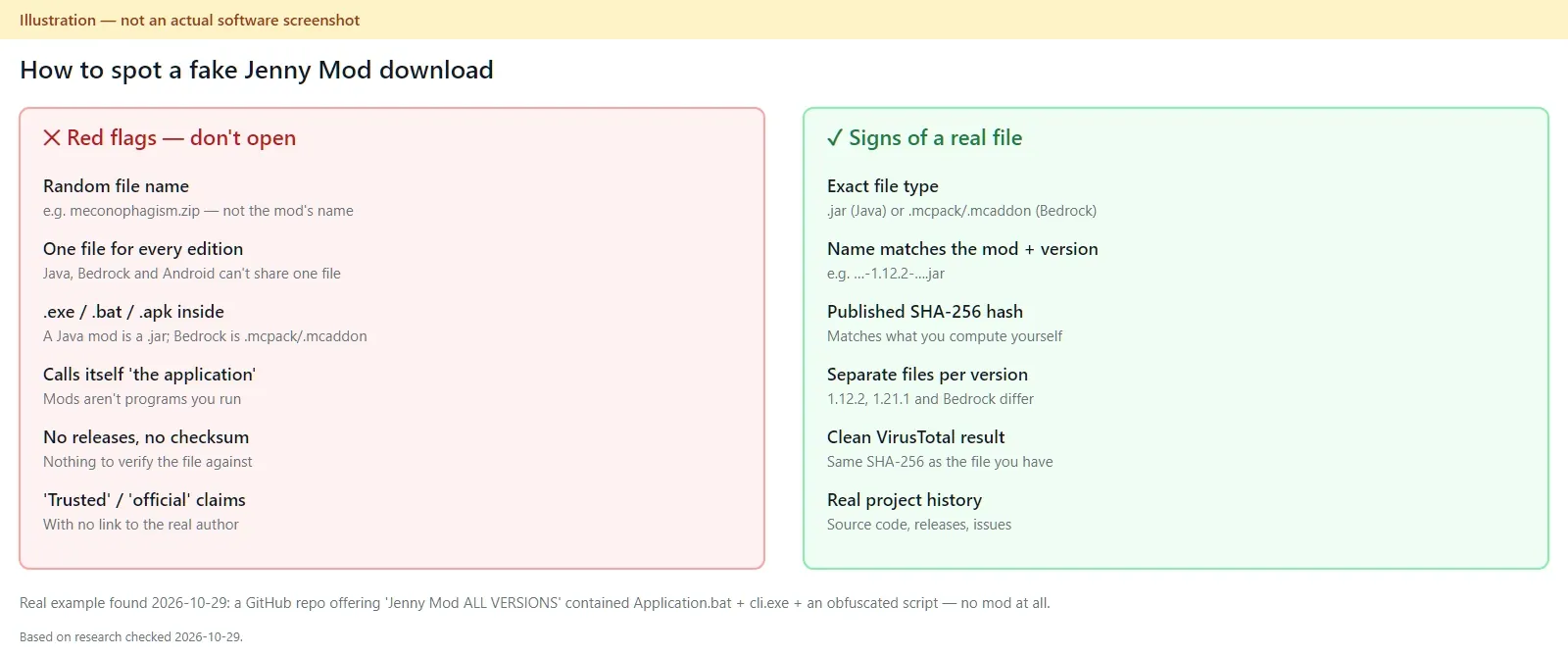
- The wrong file type. Java mods are
.jar. Bedrock add-ons are.mcpack/.mcaddon. Anything ending in.exe,.bat,.scr,.msior.apkis not a mod. - One download for "every version". Java and Bedrock need completely different files.
- Password-protected archives. They exist mainly to stop antivirus scanners from looking inside.
- "Key", survey or "unlock" gates before the download starts.
- A file much larger than expected. A mod jar is typically a few megabytes, not hundreds.
- Random or unrelated file names inside the archive.
- Several "Download" buttons on the same page. Most of them are ads.
- Claims of being "official" with no link to the author.
Check the SHA-256 hash
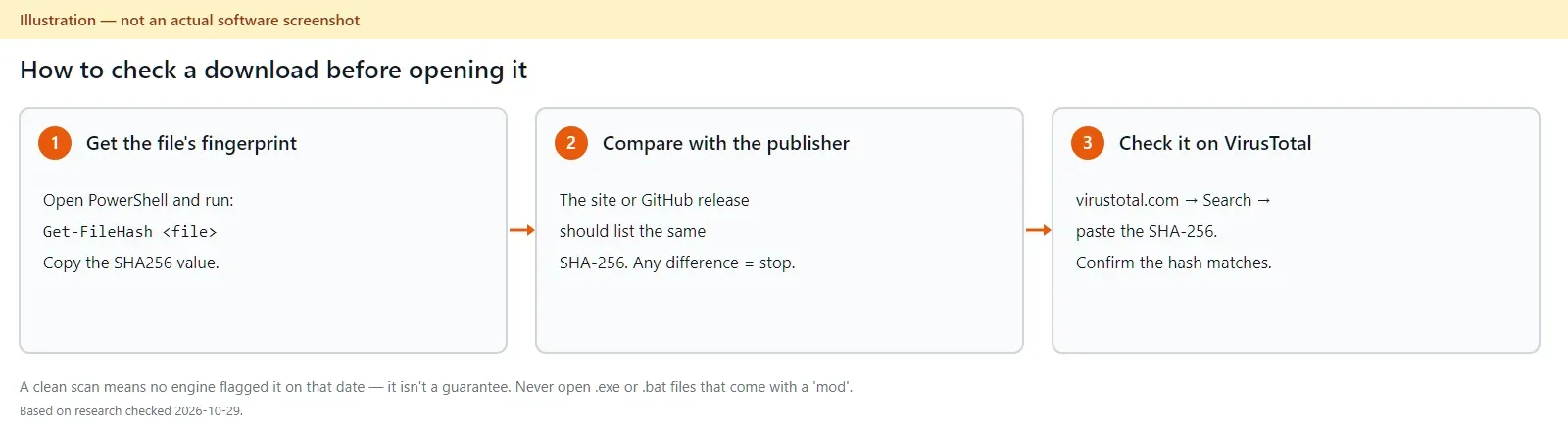
A SHA-256 hash is a 64-character fingerprint of a file. If even one byte changes, the hash changes completely. When a publisher lists a hash, compare it with the one you compute. They must match exactly.
| System | Command |
|---|---|
| Windows (PowerShell) | Get-FileHash .\file.jar -Algorithm SHA256 |
| Windows (Command Prompt) | certutil -hashfile file.jar SHA256 |
| macOS | shasum -a 256 file.jar |
| Linux | sha256sum file.jar |
A matching hash proves you have the same file the publisher hashed. It does not prove that file is safe, which is why you also need a scan.
Use VirusTotal properly
- Search the hash first at
virustotal.com. If someone has already uploaded the file, you'll see their results without uploading anything. - If it is unknown, upload the file. Note that uploads may become available to security researchers.
- Read the result as "N of M engines flagged it on this date". 0 detections is good news, not a guarantee: new malware often starts at 0.
- Check the Details tab: the file type should be a Java archive or zip, not a Windows executable.
No scan can prove a file is harmless. Honest pages show the scan date, the detection ratio and a link to the report. Be wary of any site that only says "virus-free".
If you already ran a suspicious file
- Disconnect from the internet.
- Run a full scan with Microsoft Defender (or your security software), including an offline scan if offered.
- From a different, clean device, change the passwords for your email, Microsoft/Minecraft account, Discord and browser-saved logins. Turn on two-factor authentication.
- Check for unknown programs in startup apps and scheduled tasks.
- If in doubt, back up your personal files and reinstall the operating system.
Files we have verified
File hashes, malware-scan results and device tests appear here as soon as each check is complete. Until then, every step on this page is built on official documentation and labelled exactly that way.